



CRM to boost your sales
ActionClient, for SMEs and the self-employed, lets you concentrate on sales and prospecting.
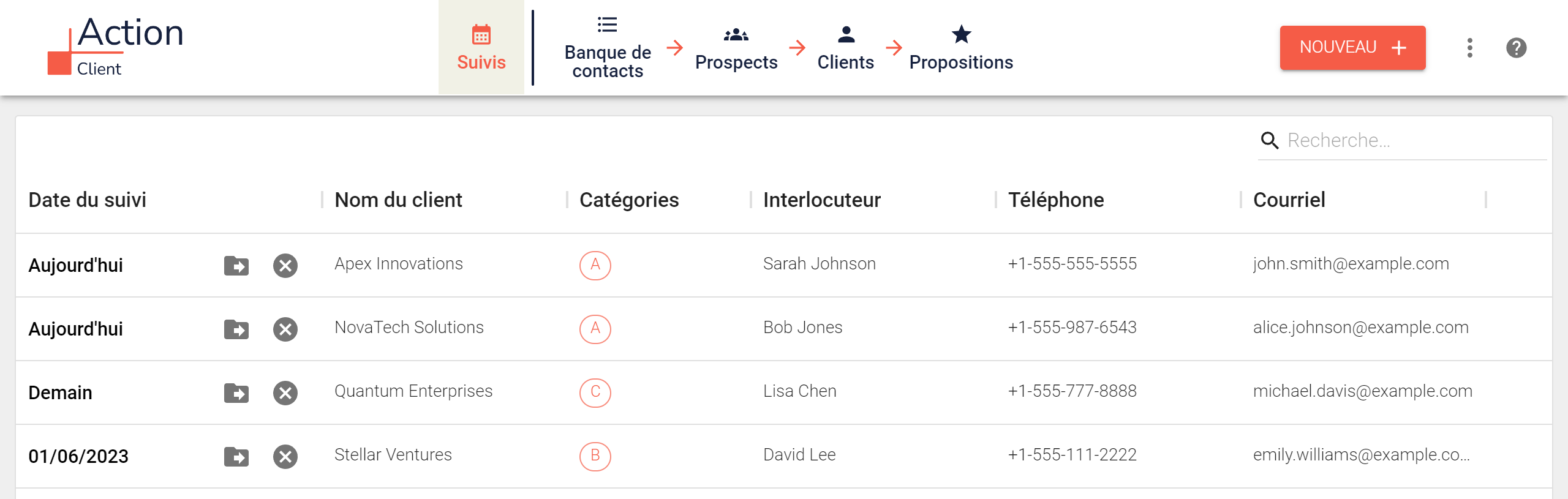
Your follow-up priorities :
- Proposals
- Follow-up of all customers/prospects
- Customers
- Prospects
- Contact database
Step 1. Add a customer or prospect.
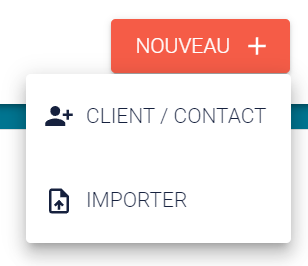
- Individual customer or prospect: click on the “Customer/Prospect” button
- By list: click on the “Import by list” button
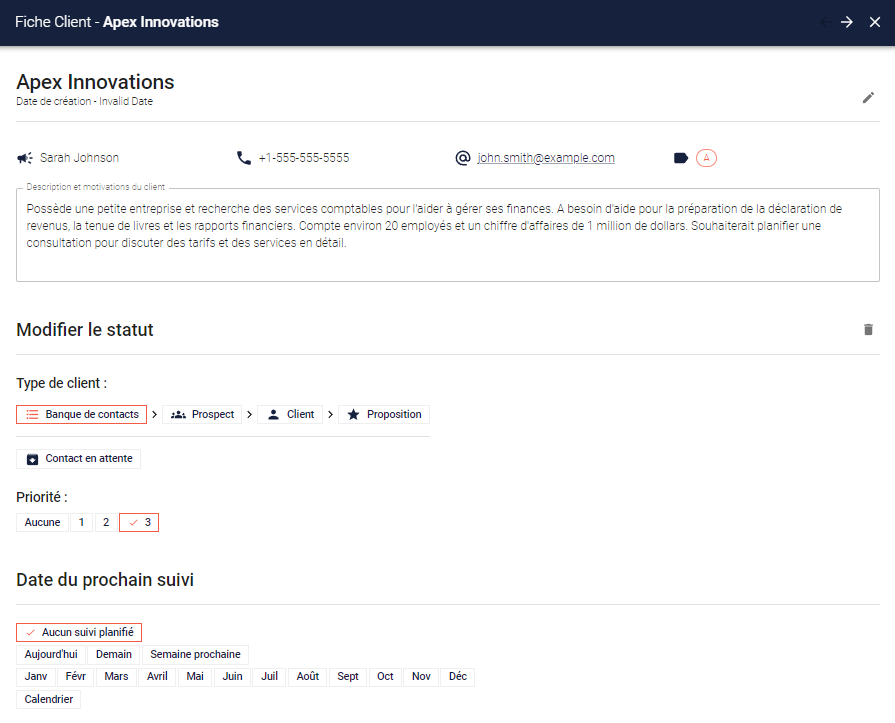
Step 2. Fill in the customer or prospect form.
- Organization name
- Name of contact person (if there is more than one in the organization, you create several records)
- Phone
- Category: so that you can classify your customers according to their characteristics
- Give your customer/prospect priority 1, 2 or 3
- Plan your follow-up
- No follow-up planned
- Today
- Tomorrow
- Next week
- January, February, etc.
- Schedule for specific date
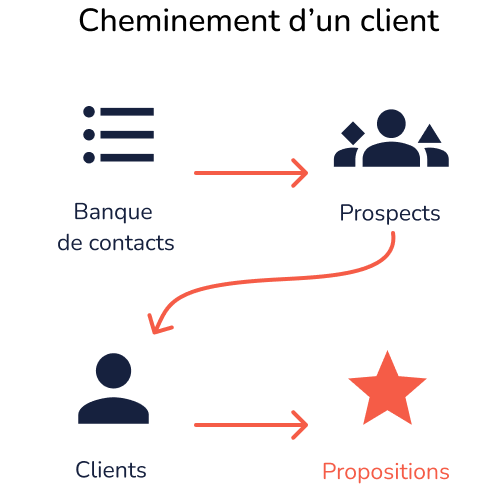
Step 3: Place the customer’s or prospect’s file in the right list
- Contact bank: for new contacts you can add to your prospects as needed
- Prospects on hold: customers/prospects who cannot be reached at present
- Customers: former prospects to whom you have sold and with whom you work
Current proposals: customers or prospects to whom you have made a proposal
Step 4: Call a customer or prospect
- Replace contact if necessary
- Prospect to current proposal
- Current proposal to customer
- Customer prospect if lost
- Customer prospect on hold
- Give priority A, B or C to your customer or 1, 2 or 3 to your prospect
- Plan your follow-up
- No follow-up planned
- Today
- Tomorrow
- Next week
- January, February, etc.
- Schedule for specific date

Step 5: Follow up and take notes
- Click on the “Next” bookmark
- Follow-ups are listed in order of priority
- Late dates appear in red
- Your notes appear without having to go to the form
- Contact customer
- Immediately from the table
- Either by clicking on the customer file to take notes
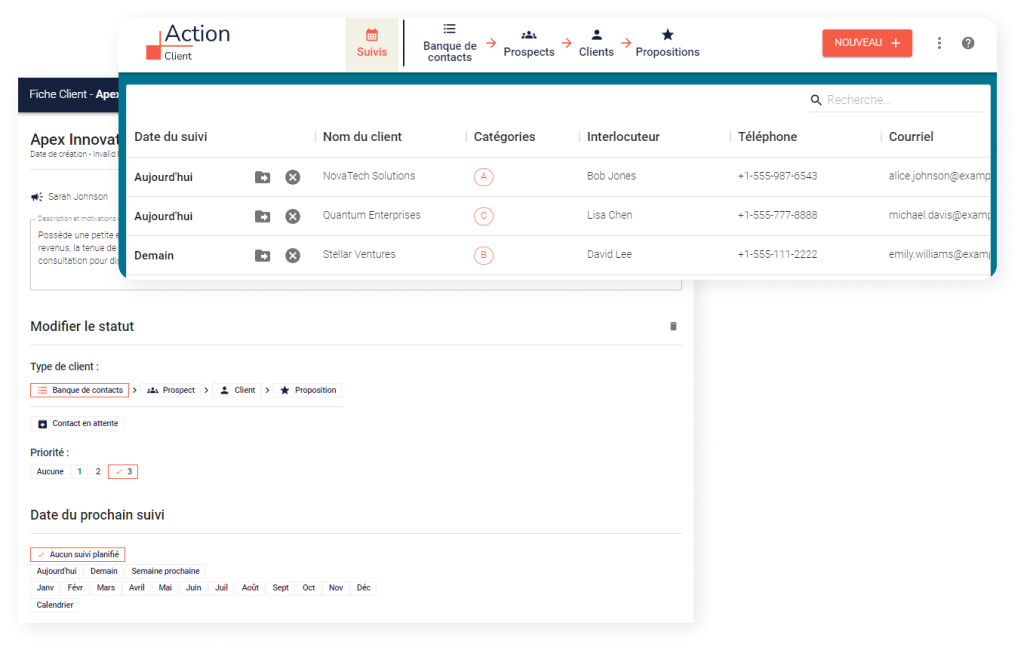
Step 6: Always prioritize follow-ups on current proposals
- This is where you’ve invested the most time
- It’s what can pay off the most, and the fastest.
- Of course, the proposals are included in your follow-ups
- Accepted or rejected proposals must be withdrawn and reclassified.
- But follow-ups are sometimes “cluttered” with delays from less advanced customers.
- Your priority is therefore to see your proposals
- every time you open your CRM
- Before even looking at your follow-ups :
- Importance comes before urgency

Avantages de notre outil
- CRM for small businesses, SMEs, VSEs, freelancers and startups, developed specifically for their needs
- Designed by salespeople for salespeople
- Simple, easy to use, intuitive
- All activities can be carried out from a single page, with no need to navigate through complicated software.
- Uses files from your computer or cloud, so you don’t have to change your habits.
- All your file accesses can be grouped together on one page, with all your important shortcuts to your files on your cloud.
- Can be used for telephone, e-mail or face-to-face follow-ups
- E-mails from your keyboard
- Clicking calls from your phone
- Maximize your efficient time, minimize your administrative time
- Action-oriented rather than report-oriented
- Easy-to-give follow-up
- Working and monitoring tool
Features of this CRM for small businesses
- Keeping track of your customers and prospects
- Possibility of prospecting from the general table of all customers to speed things up, or from the complete files to study them before calling.
- Sorted by contact and follow-up date
- Follow-up can be scheduled precisely or by month, just like in real life. This is key in a small business.
- Direct calls from the tool
- Direct e-mail from the tool
- No need to enter activity dates, it’s done automatically
- Simple, complete customer contact history is automatically generated.
- Category column to adapt the tool to your customers’ specific needs.
- Free version available on this site.

What you stand to gain from other CRMs for SMEs
Having to transfer files from your CRM to your IT system or vice versa
- Synchronize your CRM files with your computer
- Complicated software with dozens of pages
- Complicated codes to fill in
- Spend more time managing the tool than prospecting
- Menu and sub-menu entry and code entry for each call made
- Software designed by information for salespeople
- Software made to produce marketing reports: spending more time justifying missed sales than using that time to sell
- Systems that are very expensive to implement and require trainers, which is time-consuming and costly for a small or medium-sized company.
FREE VERSION